
TABLE OF CONTENTS
What Is Calculated Shipping?
- Calculated Shipping uses both a product’s weight and package dimensions (length, width, height) to automatically determine postage cost when selling via Australia Post and eBay Australia.
- eBay charges based on the greater of the actual (physical) weight or the volumetric (dimensional) weight.
- You must ensure every product has both weight and dimensions entered on your website — otherwise, postage cannot be calculated correctly. See below for an example of how this looks on the Product page.
Bigcommerce:

Shopify:

Note for Shopify Sellers
If your store runs on Shopify, the default Shopify API doesn’t share product dimensions. In that case:
- Use Shopify Meta Fields to add length, width, and height values manually.
- Then map those fields in Omnivore so the data is passed to eBay correctly.
Please see this FAQ for steps on how to set up Shopify Metafields. This needs to be done before you set up calculated shipping in eBay and Omnivore.
Step 1 — In Your eBay Seller Account
- Log into your eBay seller account.
- Go to Shipping Preference Settings at https://www.ebay.com.au/ship/prf where you will see this screen.
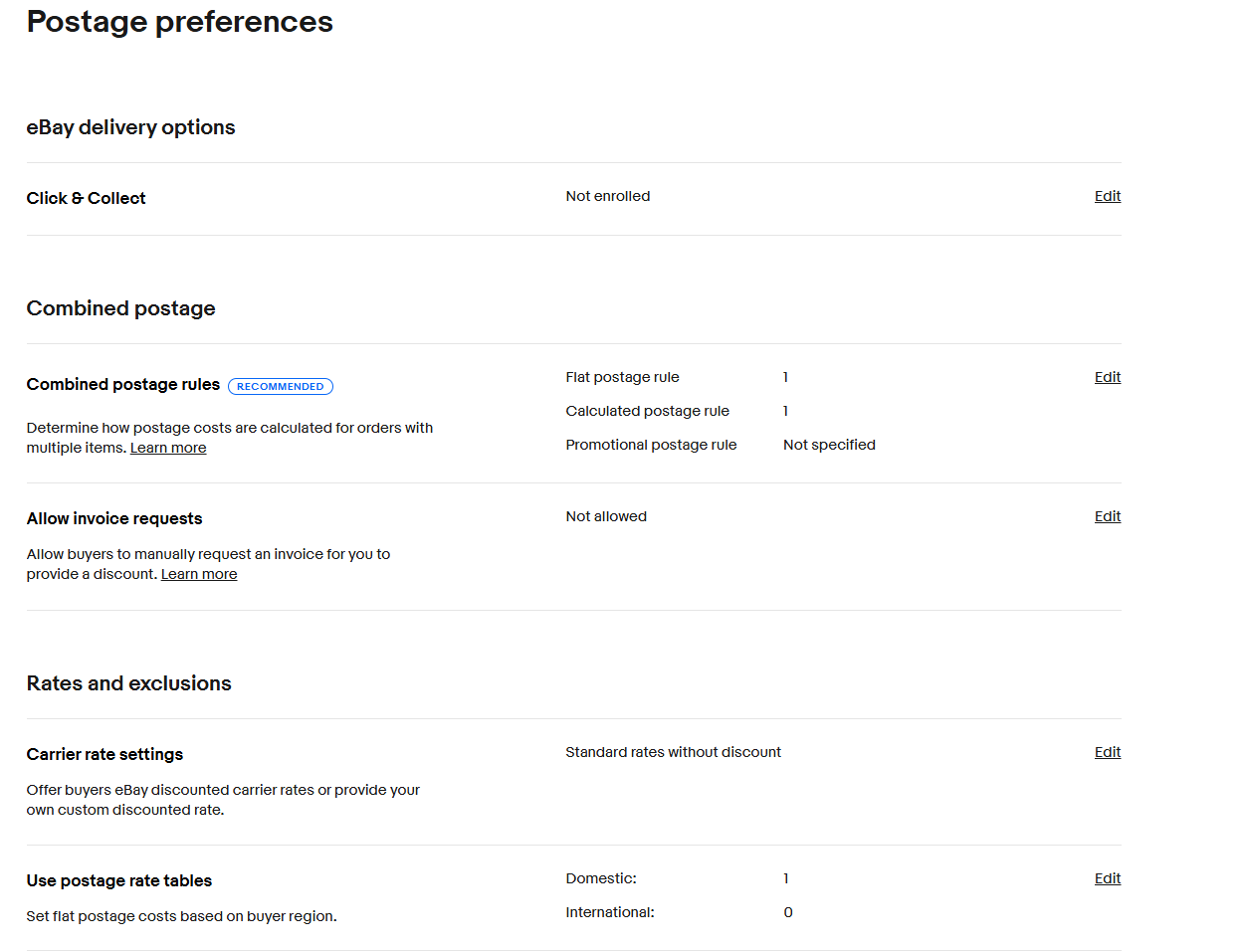
- Click on the Edit link aginst Combined postage rules.
- You will now see
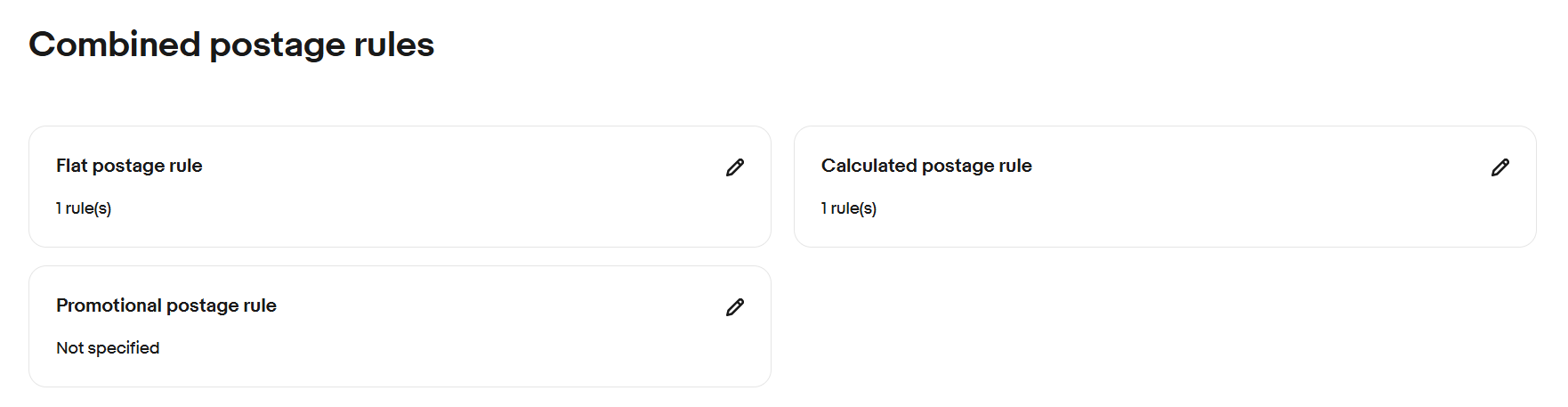
- Click on the pencil icon against Calculated postage rule to edit that section.
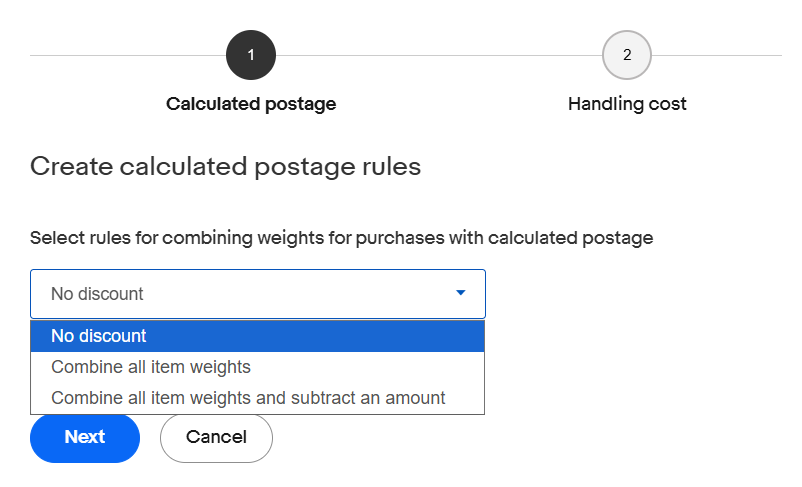
- A pop-up window will open.
- Choose either No discount, Combine all item weights or Combine all item weights and subtract an amount, then click Next.
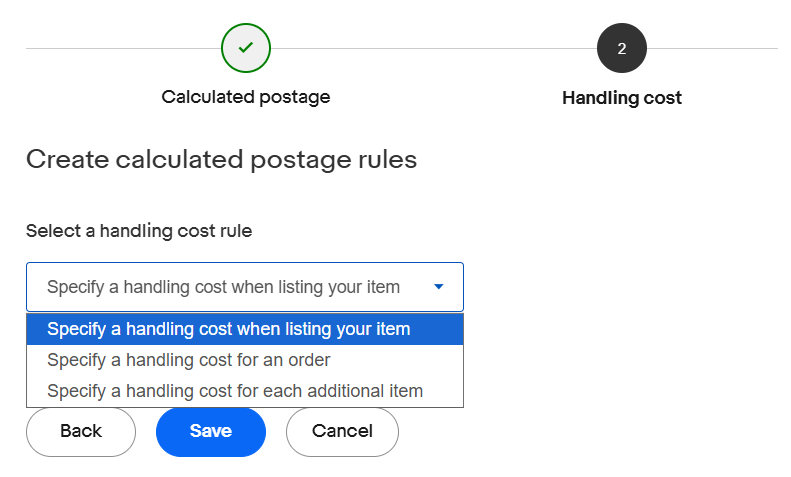
- On the next screen, enter your handling costs and then click Save.
- Note: Option 1, Specify a handling cost when listing your item is not supported by Omnivore / eBay LINK.
- After clicking Save you will be taken back to the Combined postage rules screen.
- Now click on the pencil icon against Promotional postage rule to edit that section.
- A pop-up window will open.
- Choose the relevant option for your requirements and click Save.
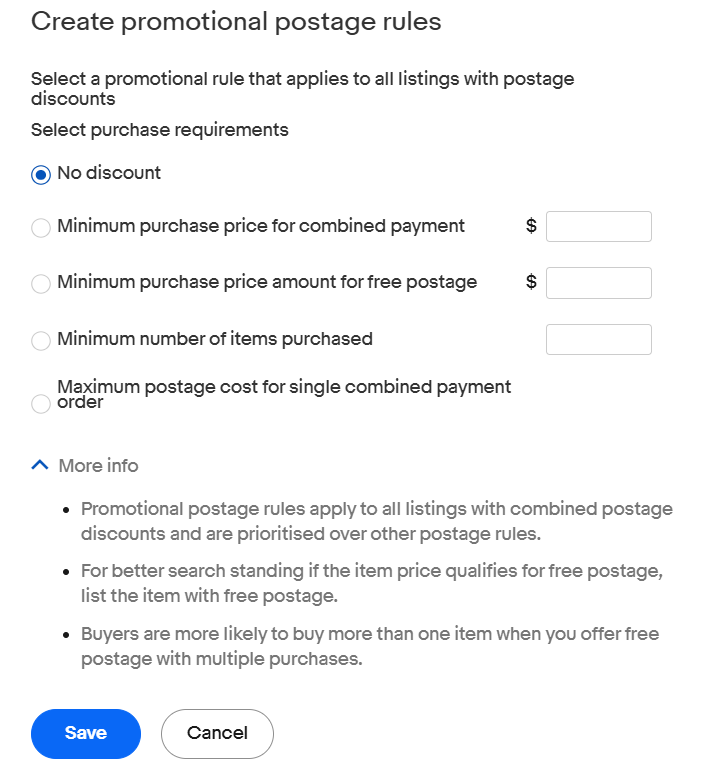
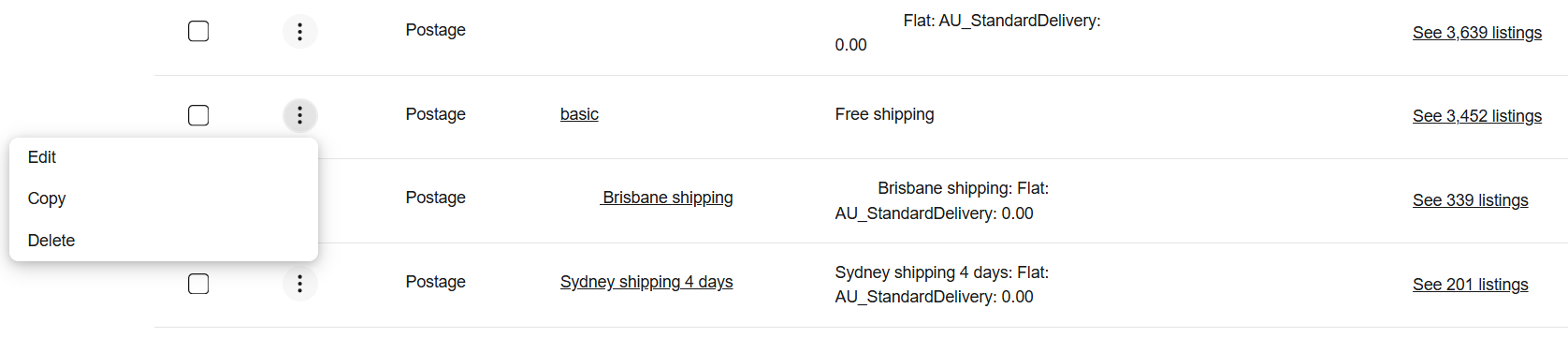
- You now need to apply your calculated and promotional postage rules to the relevant shipping policy on eBay you want to use it with.
- Go to Business Policies and Edit the relevant policy. Note, the image below shows the basic policy being edited, but you can use calculated post with any policy.
- Go to the Domestic Postage section, click on the dropdown box and select Calculated: Cost varies by buyer location from the dropdown box.
- Select the Australia Post service that you wish to use - standard, express, parcel post, satchel, box etc. If you wish to offer the buyer multiple options, say standard and express, then click on Offer additional service and add the next service you want to offer.
- In the Combined postage rule fiel select the combined rule you created above if you want this shipping policy to offer a combined postage rule with this policy.
- Enter your handling cost, handling time and any excluded locations as needed.
Click Save.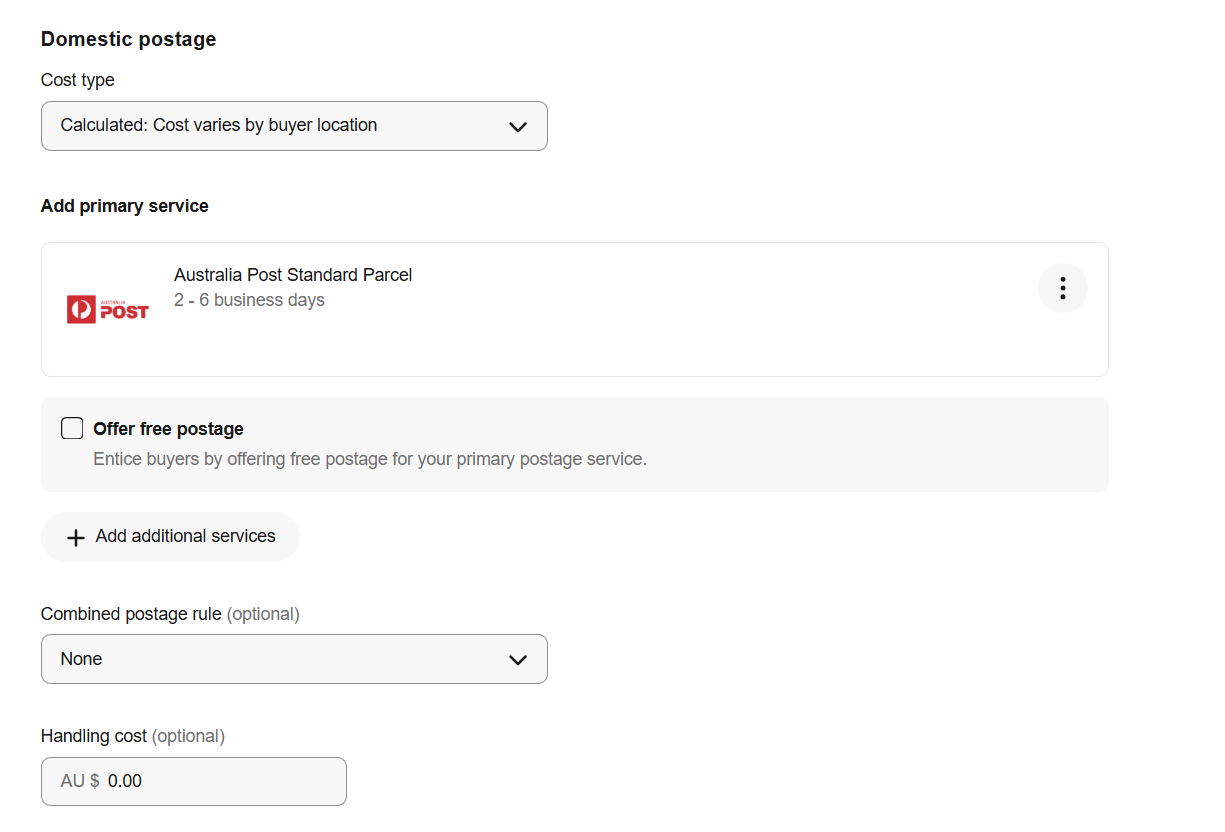
Step 2 — In Omnivore
- Open Omnivore and navigate to Settings → eBay Australia → Shipping.
- Click the edit icon next to the same shipping policy name that you edited on eBay to use calculated shipping.
- Set “Enable calculated shipping” to Yes.
- Leave “Enable complex shipping” set to No (complex shipping is for rate tables, not calculated shipping).
- Click Update to save your changes.
- After making these changes, click Synch policies to push the updated shipping settings to all affected listings.
 Alternative: Weight-Based Rate Tables
If you prefer not to rely on dimensions (or if you don’t have dimension data):
- Use rate tables instead. These are based purely on weight and offer flexibility across regions, carriers, and service levels.
- Weight-based tables let you define a base cost plus a per-kg cost, and you can set them for up to 100 regions in Australia.
- You can use any carrier with rate tables — not just Australia Post.