
This option lets buyers who purchase multiple quantities of the same item pay shipping only once — i.e. shipping is free for all additional units beyond the first.
- Log in to your eBay seller account.
- Go to Account Settings → Business Policies, which can be found under the Selling section https://accountsettings.ebay.com.au/uas
- Locate the postage policy you wish to modify and click the “Edit” link.

- Select the shipping service that you want to offer free shipping on additional items for and enter 0.00 in the Each identical item field.
In the screenshot below, the service we’re editing is the primary shipping service in the policy. Your primary service may be different. You can also mix settings — for example, you might offer free shipping on additional items for your standard service, while still charging for additional items on your express service.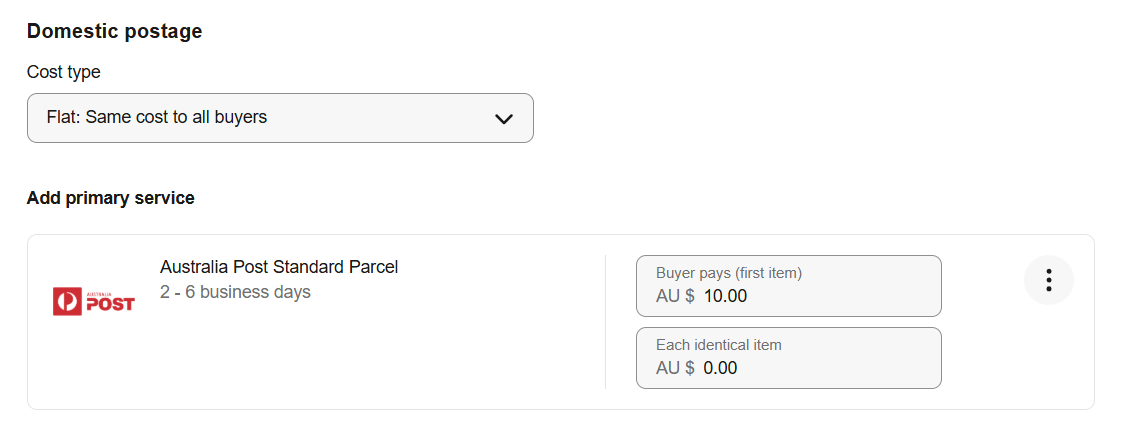
- Scroll to the bottom of the page and click Save.
Important Notes
This setting applies only when a buyer orders multiple quantities of the same listing — not when they order different products in the same order.