How to Tell if an Order in Your Store Came from eBay
This guide covers Shopify, BigCommerce and WooCommerce stores.
Shopify
For Shopify stores:
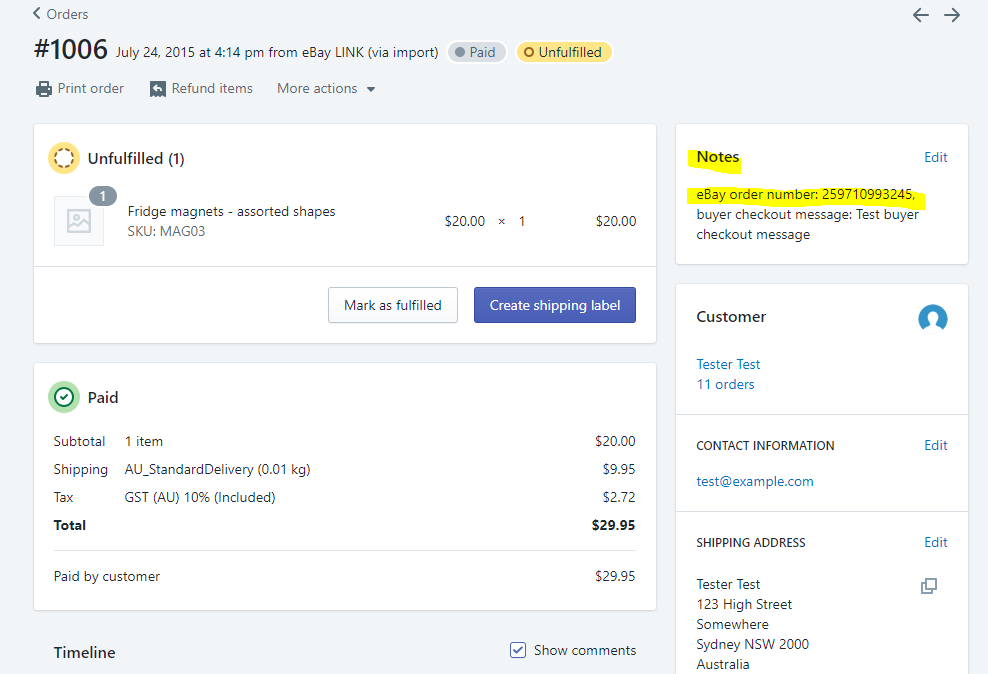
The eBay order number appears in the Order Notes section.
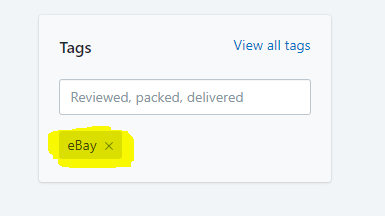
The order will also have an “eBay” tag in the Tags section on the order details page.
BigCommerce
For BigCommerce stores:
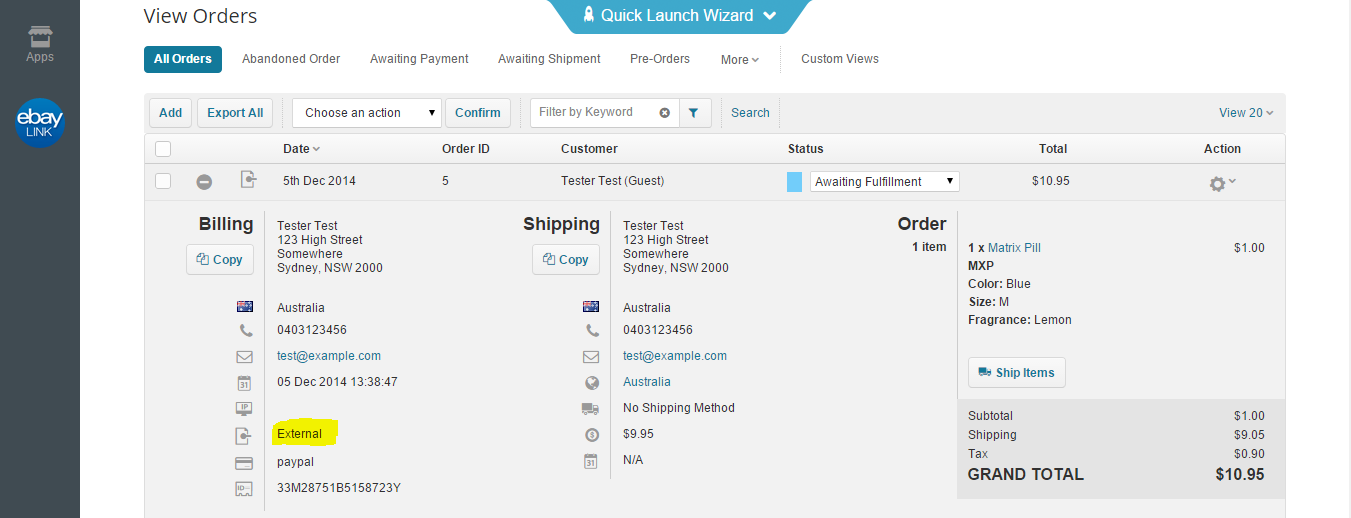
You’ll see “external” listed as the source of the order.
Note: The order will be marked as made by a Guest because the customer did not log into your store to complete the purchase.
WooCommerce
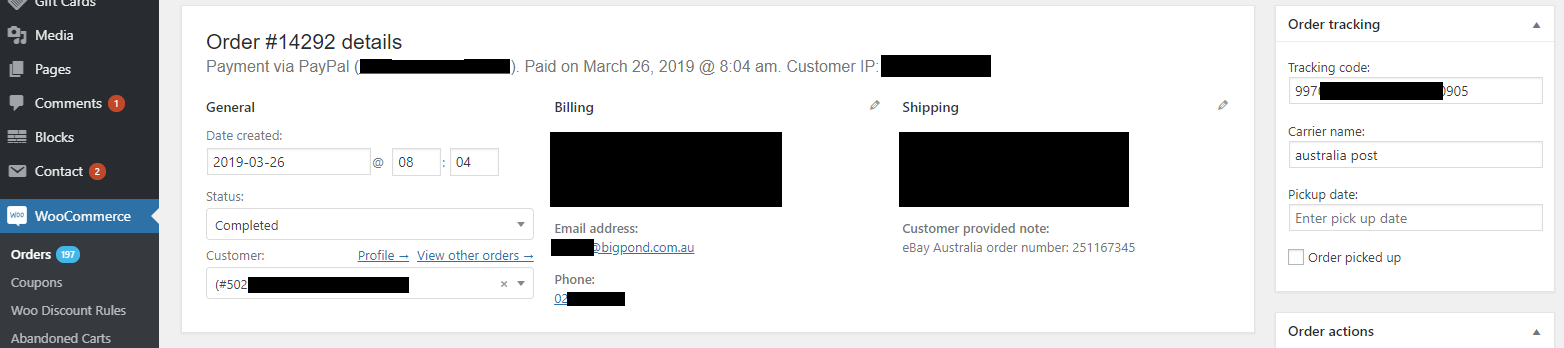
For WooCommerce stores:
The order note shows the marketplace name and the eBay order number — this appears under Customer provided note on the order screen.
If you’re using WordPress 4.4.0+ and WooCommerce 2.6.0+, you can also configure a custom field for the marketplace tag:
Go to Settings > Feeds > General
In Sales channel field, add
'eBay'This tag will then appear as a separate custom field in the WooCommerce order.