
eBay require the most important item specifics for listings in certain categories.
Item specifics in eBay is additional product data that can be searched/filtered by. This is typically things like material, style, size, colour etc and is different depending on the type of product.;
See the Item Specifics article in the eBay Seller Centre
Step 1: Find out the data that eBay requires
- To find out the 'name' of each item specifics (e.g style, material etc) each eBay category needs, please go to https://sellercentre.ebay.com.au/item-specifics and click Download the full list of required item specifics -->
- To find out the 'values' that eBay accepts for each item specific name, the easiest way to find it is to do a search on eBay for that category e.g womens jumpers https://www.ebay.com.au/sch/63866/i.html?_from=R40&_nkw=womens+jumpers and click on the left navigation bar to show the options for material
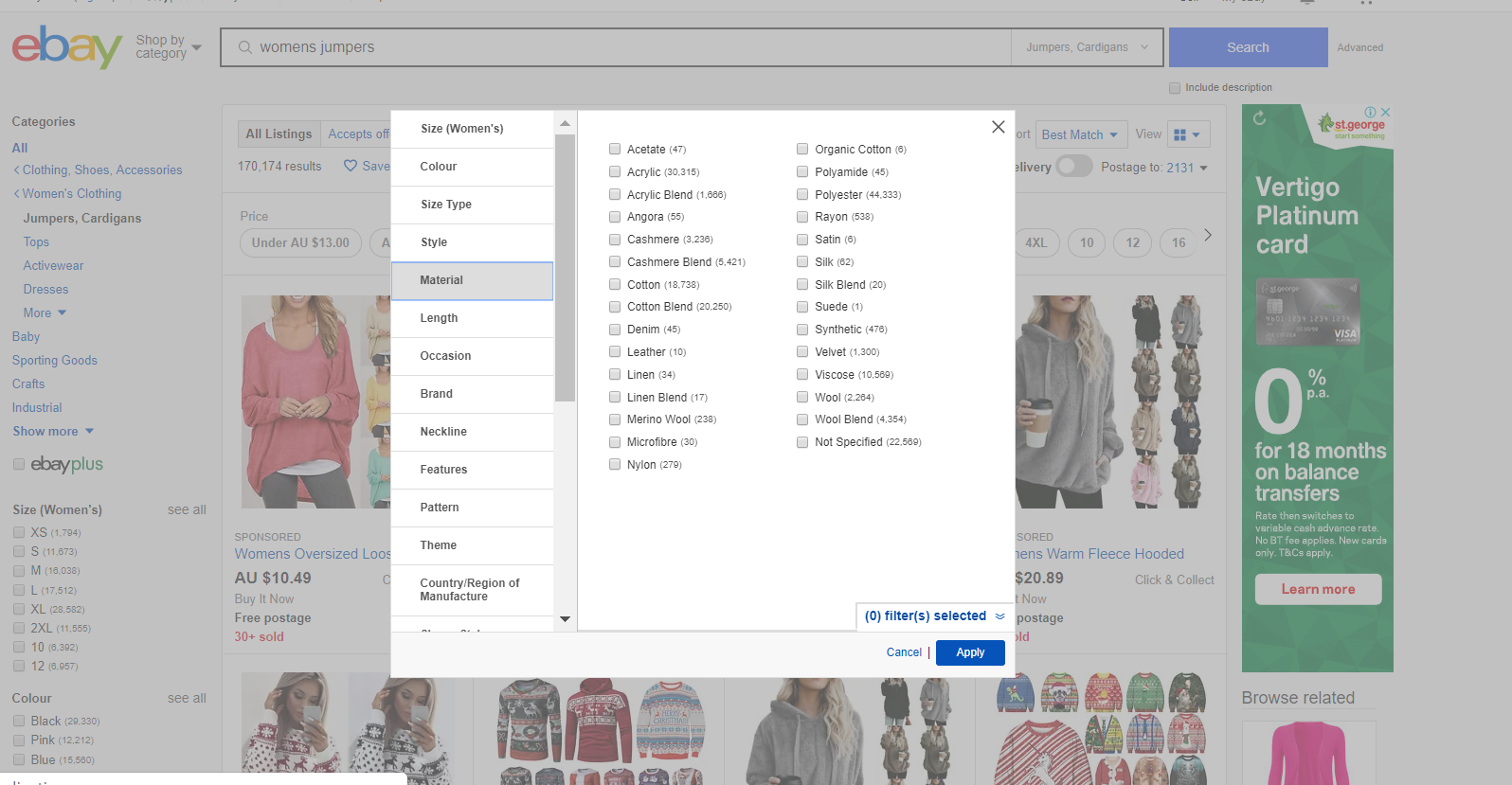
Now that you know the 'Name' and 'Value' you can add them in BigCommerce.
Step 2: How to add product attributes in BigCommerce for eBay item specifics
In this example, products in the eBay category Clothing, Shoes, Accessories:Women's Clothing:Jumpers, Cardigans requires the Item Specifics for Colour, Material, Neckline and Style.
- Login to BigCommerce and go to the Products section in the left navigation menu. Choose a product you need to add data to.
- Click 'Custom Fields' from the top menu.
- In the Name field enter eBay followed by the name of the item specific, then the value. Please note that eBay requires these tags to be case specific eg
- Name Material Value Merino Wool not
- Name material Value merino wool
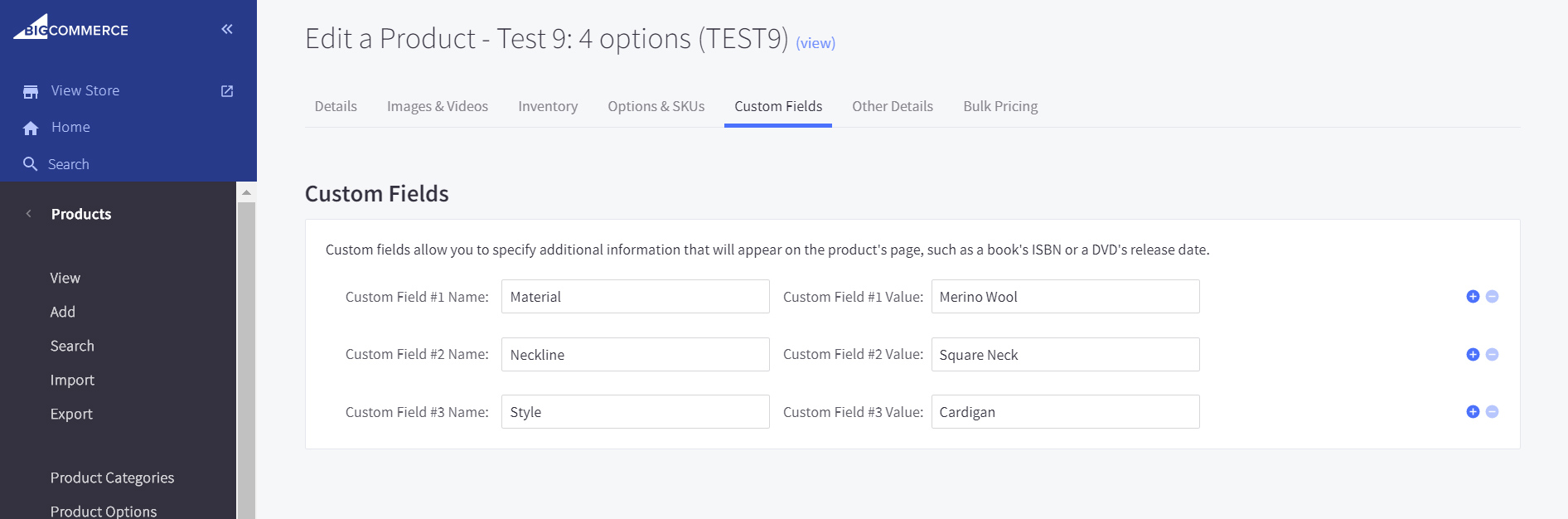
- Click 'Save'
Notes:
-
If your products require the item specifics Brand or Colour or Size you won't need to do anything as we already have this data available and will pre-populate it for you.