
We are making improvements to enable you to refund via your ecommerce platform and the refund/cancellation will then automatically flow through to the marketplace.
Here is an overview of what you can do where depending on your ecommerce platform.
-
Shopify: Refund/Cancel via Shopify – see scenarios and step by step instructions below.
-
WooCommerce - Refund/Cancel via eBay
-
BigCommerce - Refund/Cancel via eBay
* Some custom integrations can refund automatically via their backend systems. If you are unsure, please contact us.
** Note if you are selling on eBay Australia. For this to work on eBay AU our Support Team will have to "opt you in". Please contact us and ask the team to opt you in. You can also reach out on chat.
Scenarios 1-7:
Cancel an unfulfilled order in Shopify
1) Find the order in eBay LINK under Orders - All Orders and check it is pending shipped and it has a Shopify order number.
2) From within Shopify find your Orders section, check box the order you want to cancel and click more actions - cancel

3) Use the Refund Now option to cancel the order.
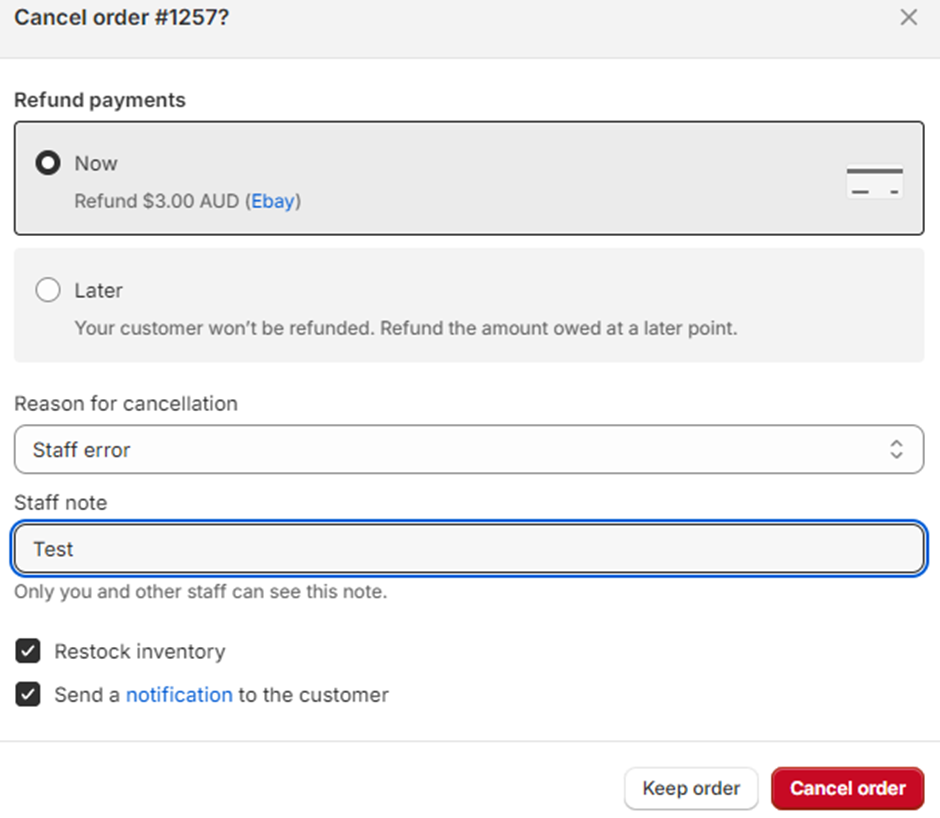
4) The order will now show as refunded in Shopify and the order webhooks will change the order to say Refunded Online in eBay LINK.


5) This order change will update the Marketplaces where the order will be adjusted.
Refund a line item on an unfulfilled order in Shopify
1) This can be done on an order that has multiple line items OR one line item with multiple quantities.
2) Find the order in eBay LINK under Orders - All Orders and check it is pending shipped and it has a Shopify order number.
3) From within Shopify find your Order, click into the order to open it and click the Refund option.
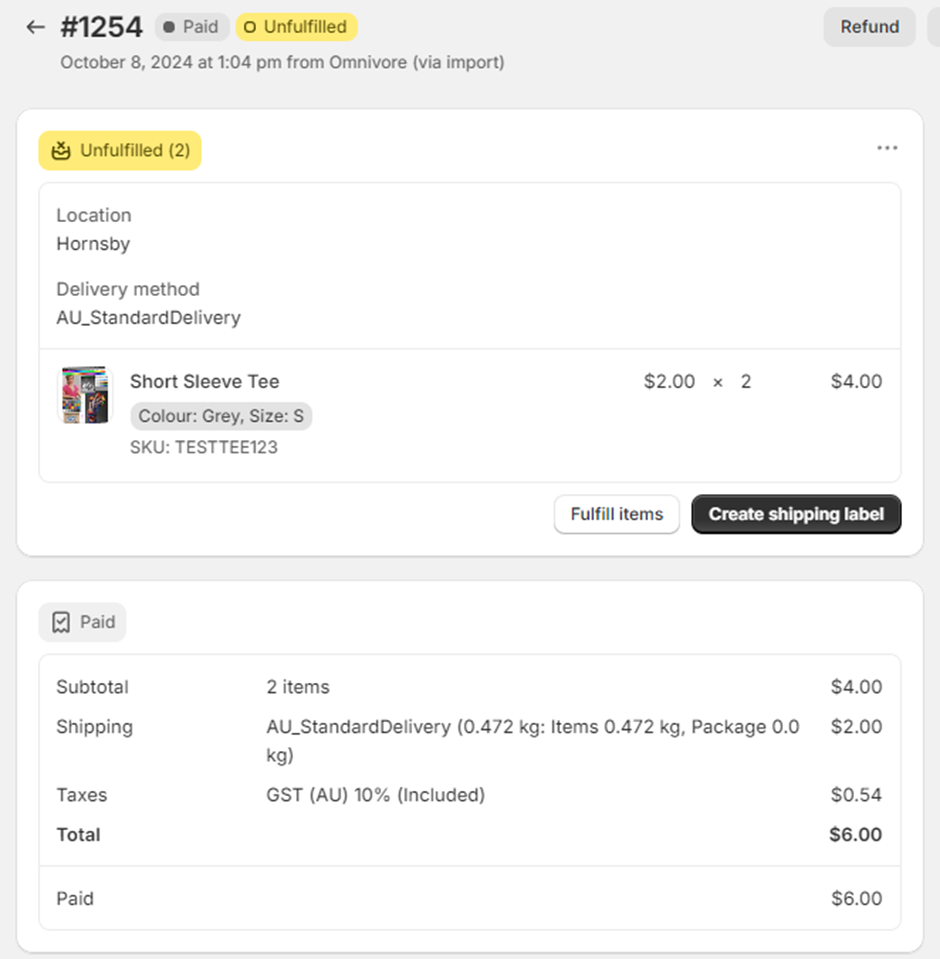
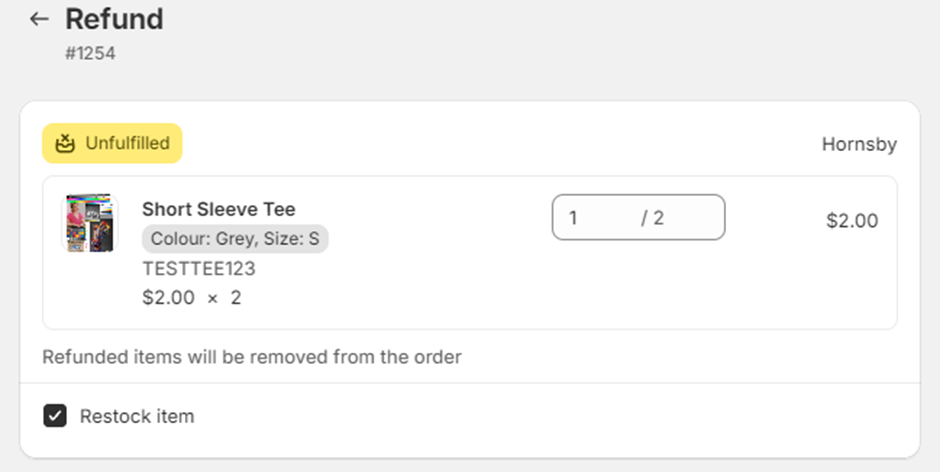
4) Use the up / down arrows to add the number of items you want to remove the the order. Our example below shows we are removing 1 of 2.
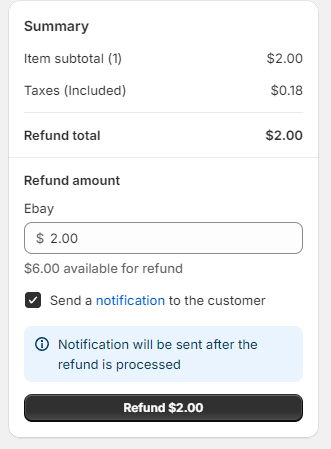
5) The refund window will show the amount to be refunded, click Refund.
6) The eBay LINK / Shopify webhook flow will pick up the change and this will be reflected on the order in eBay LINK.
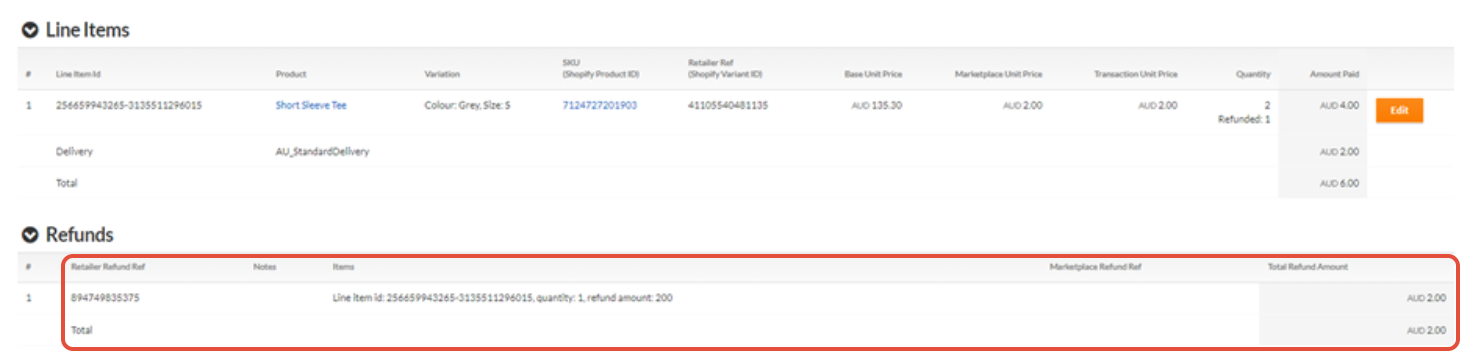
7) This order change will update the Marketplaces where the order will be adjusted.
Combination of the two above
This scenario covers the option if you refund a line item on an order then cancel the order, to achieve this you would do the line item refund first, then cancel the order in Shopify. eBay LINK and the Marketplaces will pick up both changes.
Refund a dollar value amount on an unfulfilled order in Shopify
1) Follow the steps above to find the order in Shopify and click Refund.
2) On the refund page on the right hand side add your refund amount and click Refund
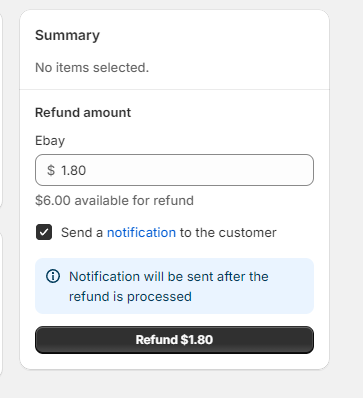
3) This refunded amount will be reflected in the order in eBay LINK.
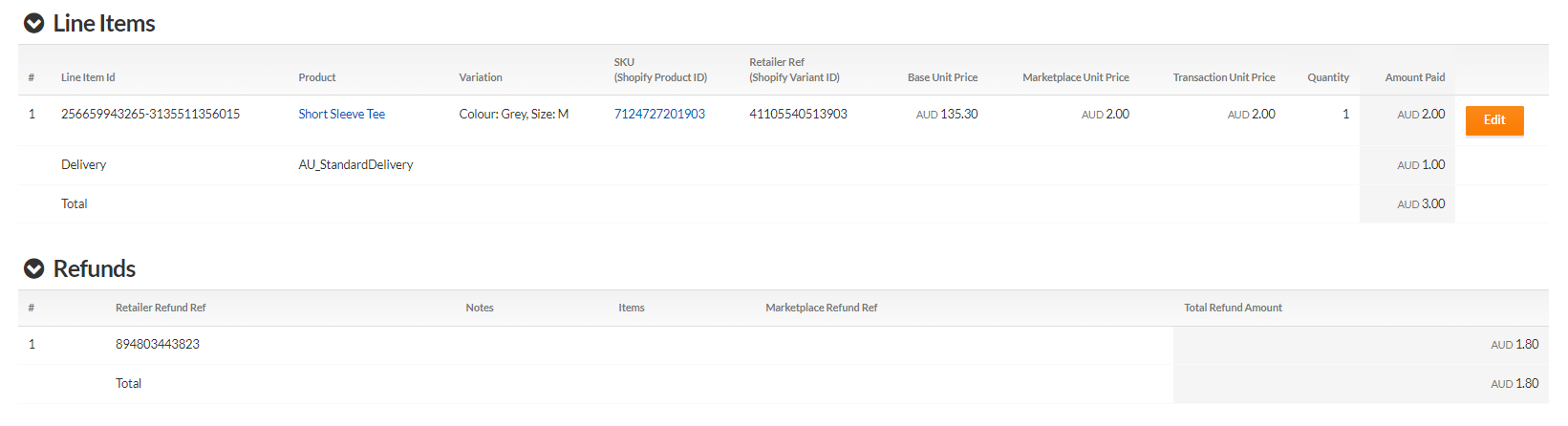
4) This refund amount will be updated on your order in the Marketplace.
Refund shipping amount on an unfulfilled order in Shopify
1) Follow the same refund steps above in Shopify to find the order and click Refund.
2) On the order refund page see Refund Shipping, add your refund amount and refund reason.
3) Click Refund to complete the process.
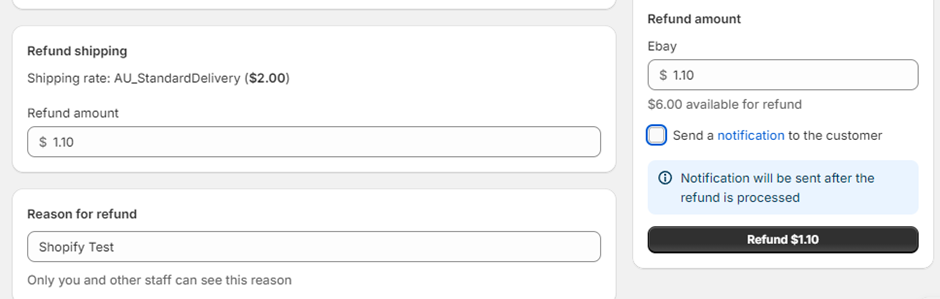
4) This refund will be updated in eBay LINK and the Marketplace.
Return then refund a shipped order in Shopify
1) Locate your shipped order in Shopify and click Return.
2) You have to now select one of the Shopify options:
- Select Create return label to create a return shipping label for your customer. This option is available only if your primary location and customer shipping address are both in the US.
- Select Upload return label to upload an existing return shipping label for your customer. On the Add return label page, upload the PDF or JPEG file for your shipping label. You can enter the Tracking number and Shipping carrier if you have this information.
- Select No return shipping to create a return without any return shipping information.
3) Click Create Return, this will put the order into 'Return in progress'.
4) Once you receive the item from the buyer you can trigger the refund process using one of the above methods.
5) When you complete the refund in Shopify the order will be updated in eBay LINK and eBay Australia.