
You can import products from Shopify that are hidden from appearing on your Shopify storefront into eBay LINK.
This enables you to sell stock on a marketplace that you don't want for sale on your own store such as end of line, old season etc.
How to set up
- Launch eBay LINK from the apps section in Shopify.
- In the left navigation menu, go to 'Settings - Administration'.
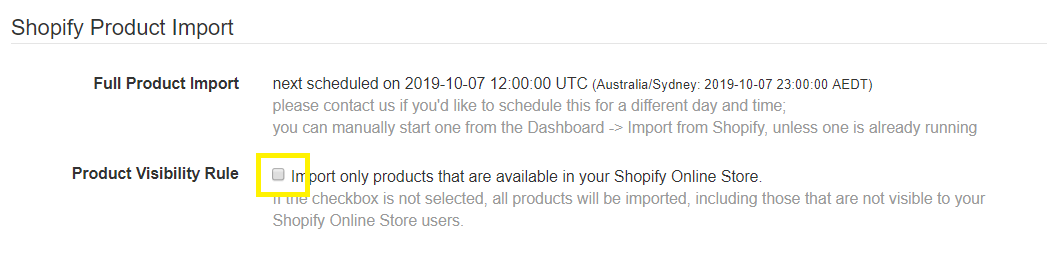
- In the Shopify Product Import section, make sure the check box for Product Visibility Rule is unchecked. The default setting is ticked - if you chance this scroll down and click 'Update'.
- Go to the Dashboard and click 'Import from Shopify' to start a sync to import products.
- You will need to choose categories for the products so that they list on the marketplace.