Use this method if you only want to offer free shipping on selected products — not your entire catalogue.
Step 1: Create a Product Group
- Go to Products → Product Groups and click Add a product group. See this FAQ for more details.
- Create the group using criteria such as brand, weight, price, category, or specify individual SKUs.
- Click Create Product Group.
Step 2: Create a Shipping Policy
Go to Settings → eBay Australia → Shipping.
Click Add new shipping policy.
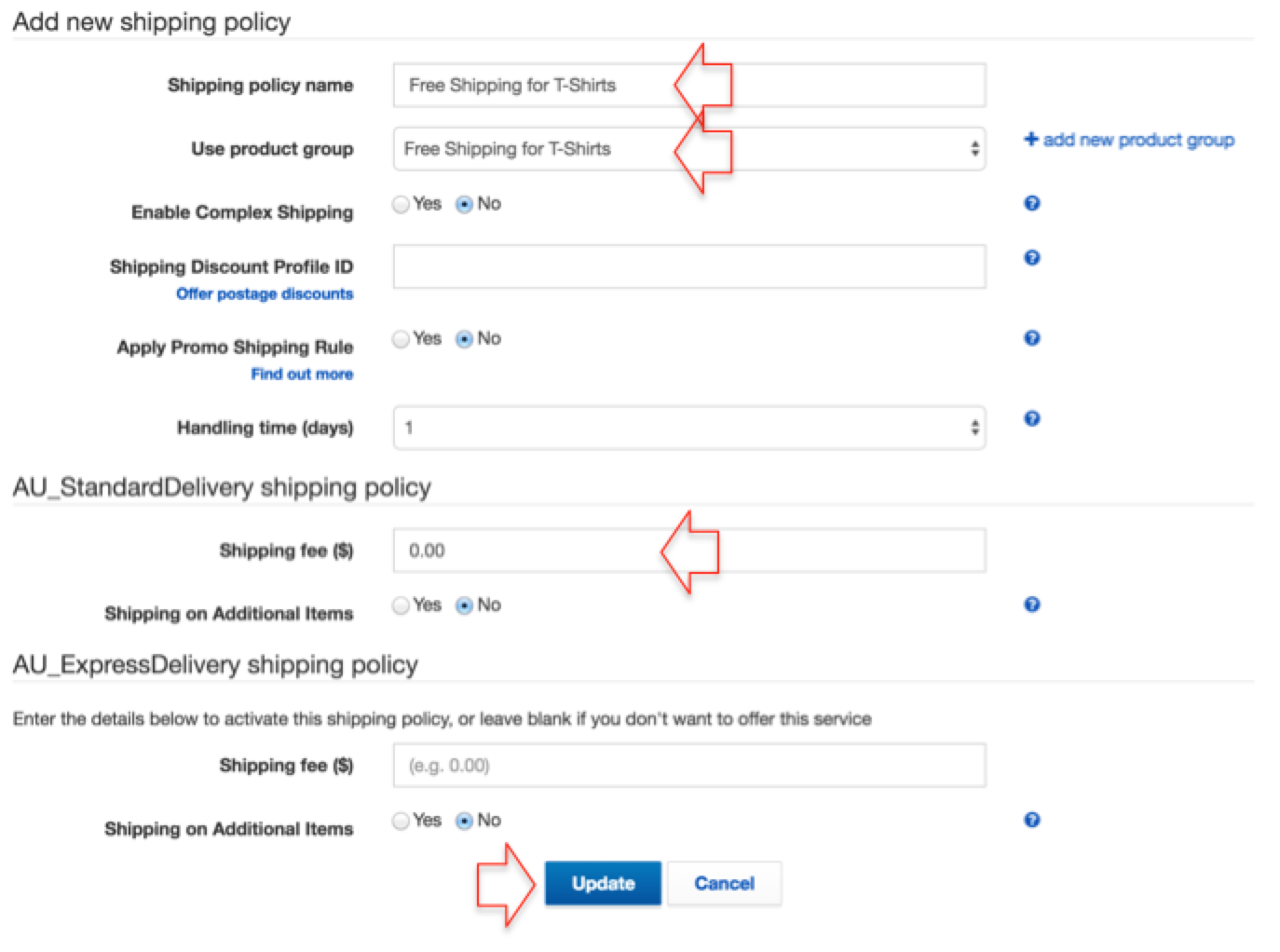
Name the new policy (e.g. “Free Shipping for T‑Shirts”), assign the product group you just created, and set the Standard and / or Express Shipping cost to 0.00.
Click Update to save the new policy.
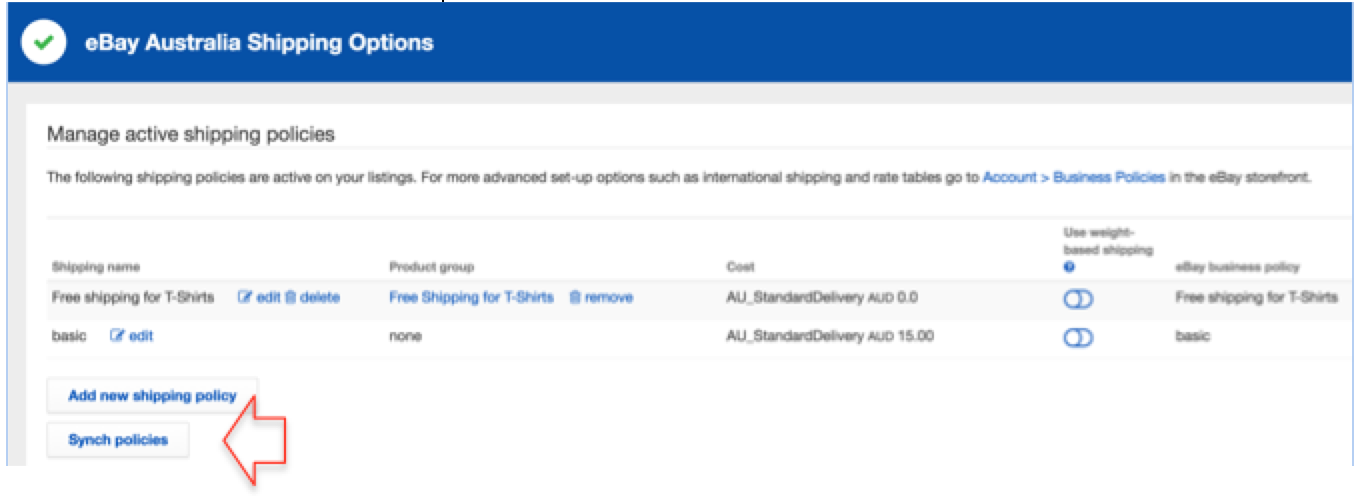
- To apply this change to your products, click the Sync policies button, then go to the Dashboard and click the Upload to eBay button.