
To end an eBay listing from Omnivore/eBay Link:
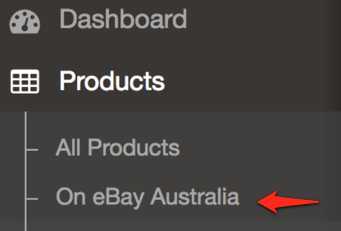
- From the left-hand menu select "Products --> On eBay Australia".
- Locate the eBay product listing you wish to end by entering the Omnivore/eBayLink SKU or product name/keyword, then click the "Search" button.

- Click into the product you want to end, then scroll down to the "eBay Australia Product View" section.
- Click the "End Listing" button.
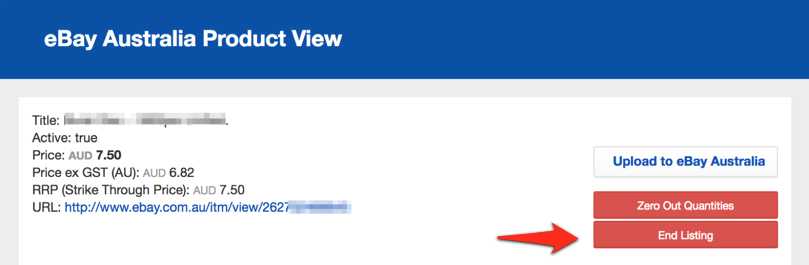
The listing should now be ended on eBay.
Note that unless you also block the product in Omnivore / eBay Link it will be automatically relisted on the next upload.