
It is possible that GST is not configured properly in your Bigcommerce store.
If you sell products that include a GST component, your settings should reflect this.
An example is provided below, please check out the Bigcommerce documentation for more info.
Please check these:
Upper right corner, Setup & Tools -> Tax -> Prices Entered With Tax option (see screen capture)
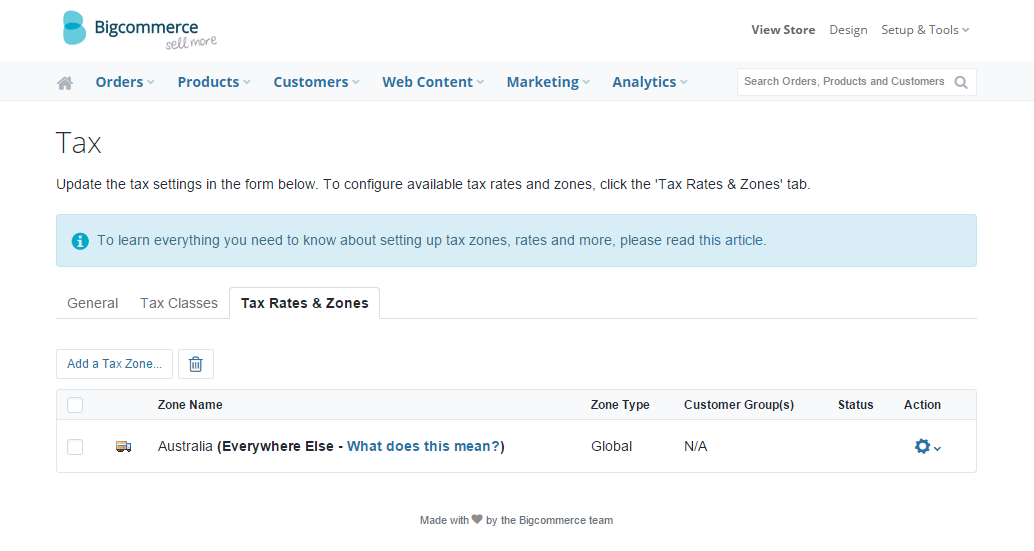
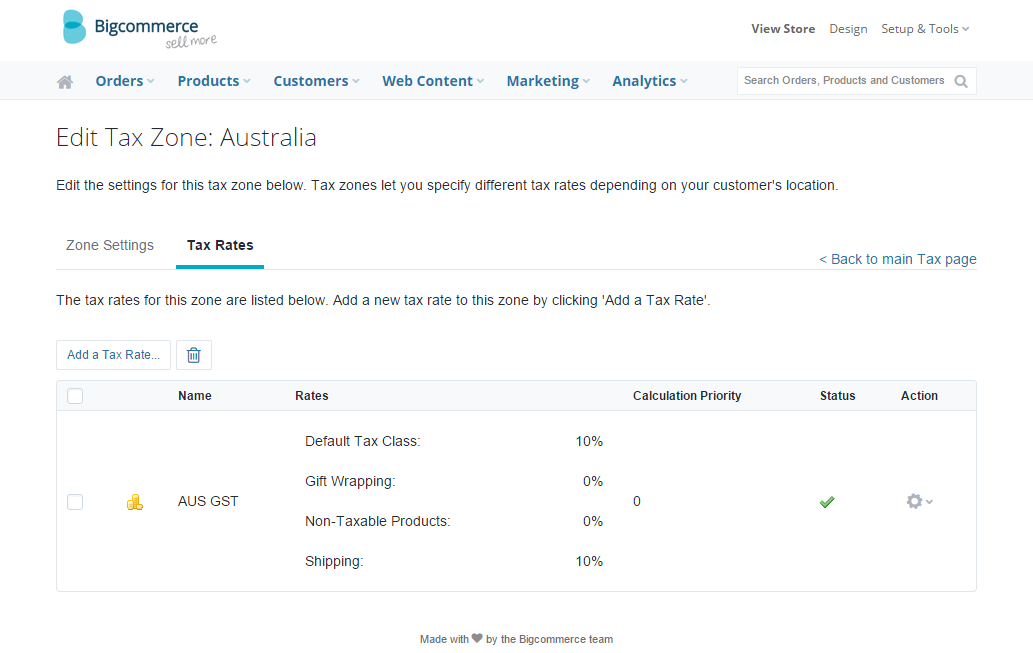
Check that the correct GST tax zone and rate is defined:
Products that are Tax Free
If you have one or more products that are tax free, the recommended settings are like this:
- Enter prices exclusive of tax.
- Make sure there's a "Non-Taxable Products" rate and the value is zero (see image above)
- Make sure you select Tax Class: Non-Taxable Products in the product details screen:
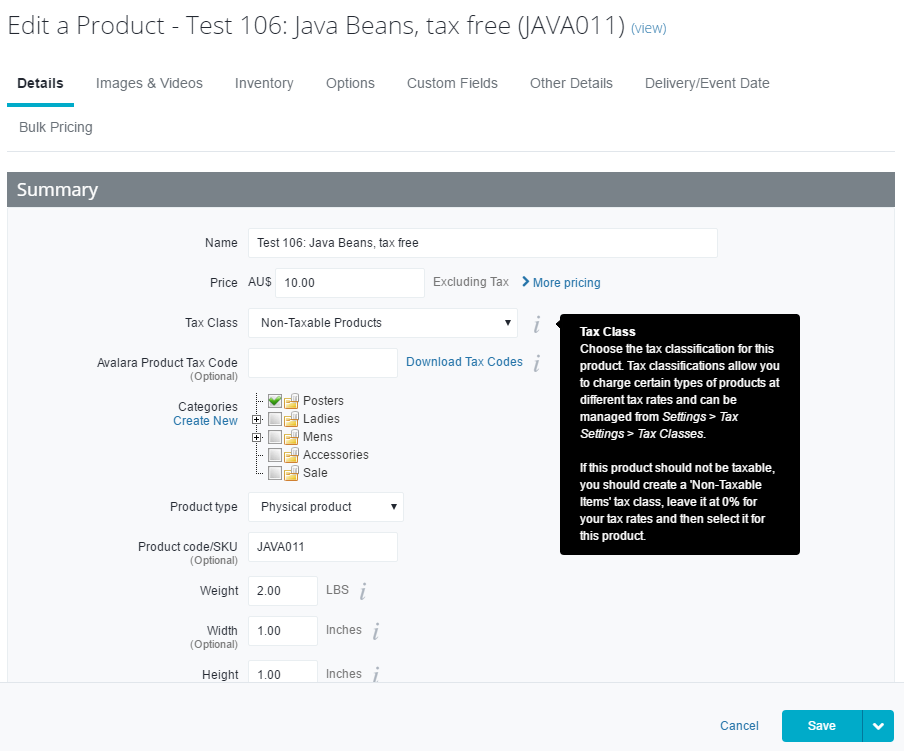
Basically, you need to follow the advice in the help popup window next to the Tax Class field:
"If this product should not be taxable, you should create a 'Non-Taxable Items' tax class, leave it at 0% for your tax rates and then select it for this product."